
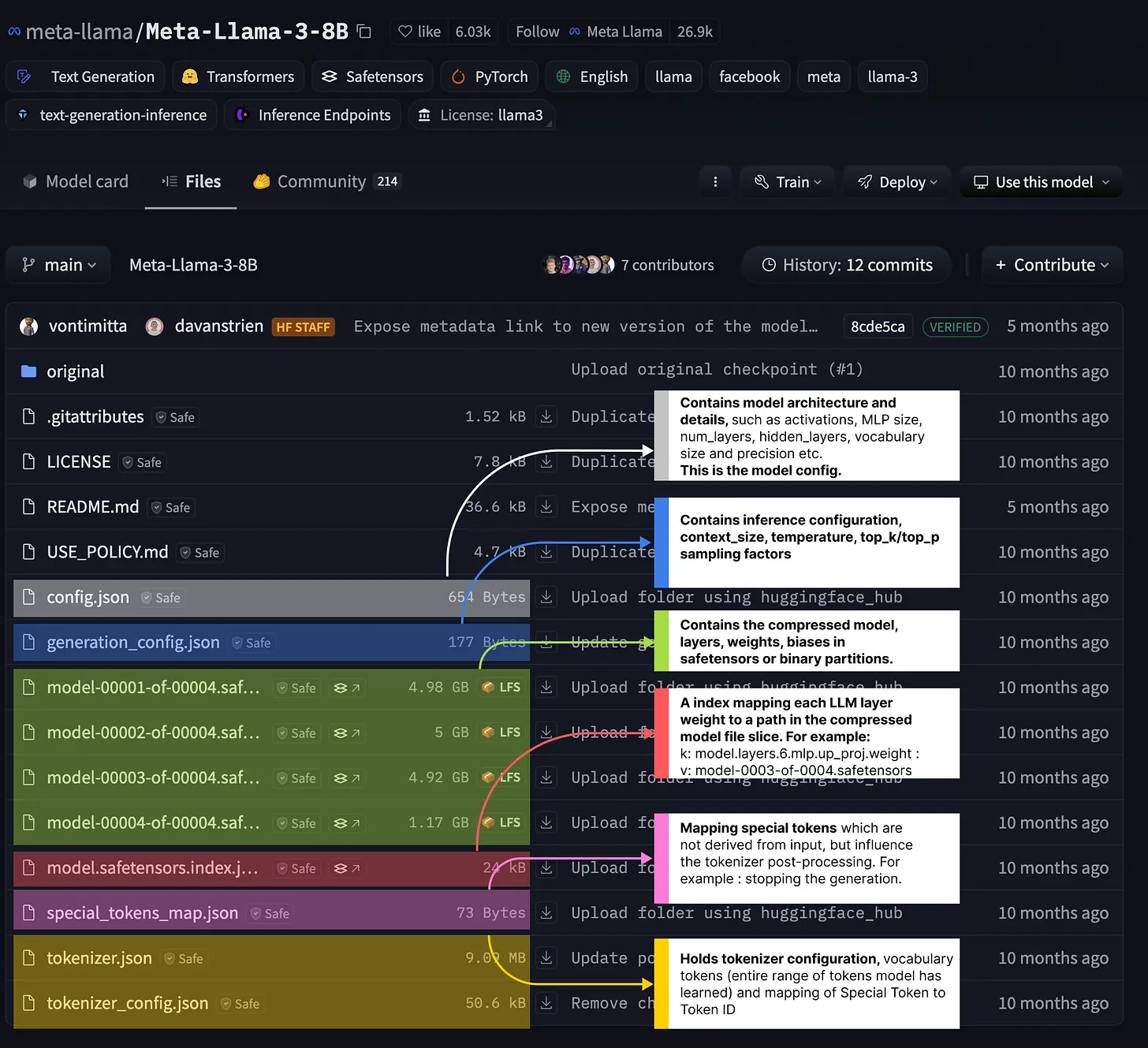
The highlighted files might differ in namings and structure, but their purpose is the same as they specify:
- Model Configuration
- The model weights as .bin or .safetensors format
- Tokenizer configs, Special tokens, and Layer Mapping
- Generation/Inference Config
Let’s unpack them one by one.
Model Configuration
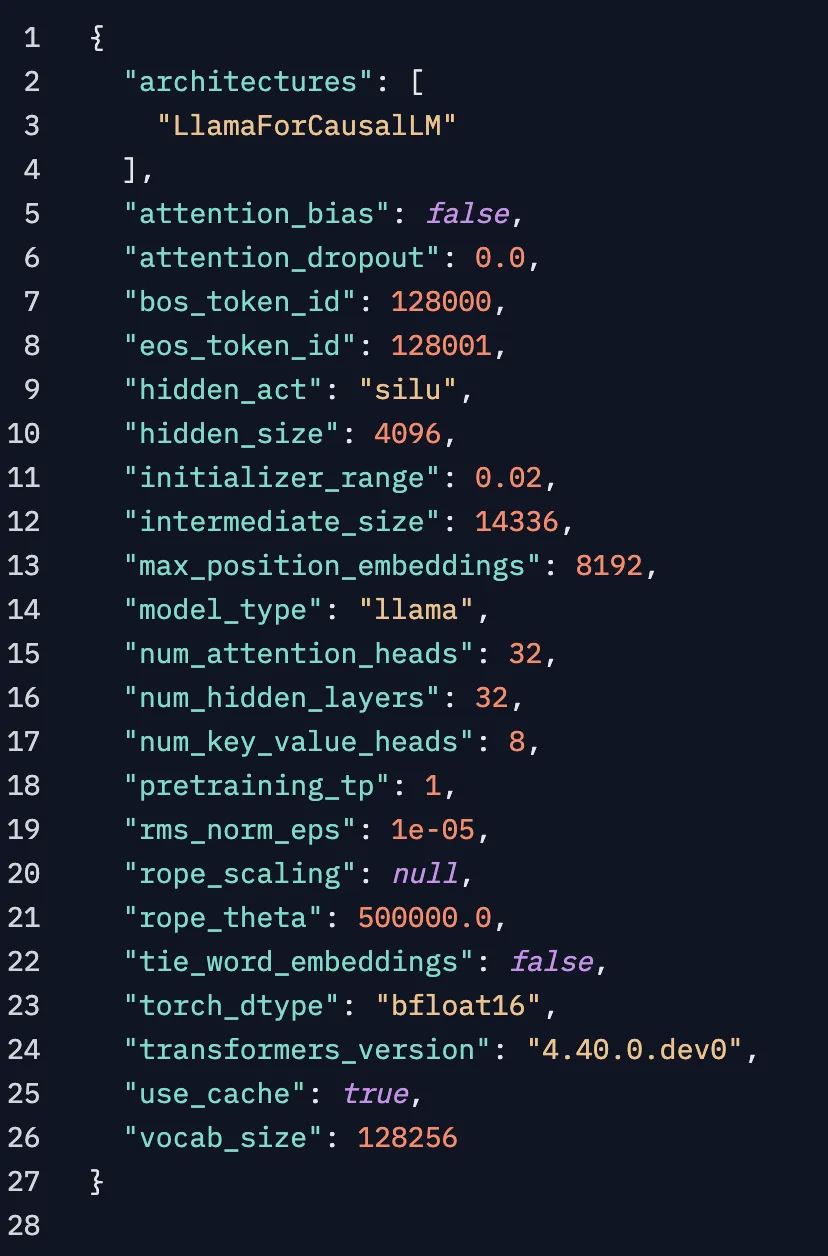
This file contains metadata on model architecture, layer activations and sizes, vocabulary size, number of attention heads, model precision, and more. It can be considered the model core [3], as this file describes the key parameters of our model, which are mandatory to construct and use for fine-tuning or inference.
For this Llama-3-8B example, we can see it was trained in bfloat16 precision on a total vocabulary of 128256 tokens, and it has 32 Attention Heads, 32 Hidden Layers, etc.
Model Weights
Due to LLMs having billions of parameters, the models are usually split into parts for safer download, as no one would like to download an 800GB model and get a network error, ending up with the entire model file being corrupted. These model weights usually come in .bin format as a serialized binary file or .safetensors, a newer format proposed by HuggingFace to safely and efficiently store model files.
Safetensors came mainly as an alternative to the default Pickle serialized that PyTorch was using, as it’s vulnerable to code injection, which is a safety risk. When saving a model as .pt, it uses Pickle underneath, which can serialize Python Objects. One could inject code in a .pt model, and when loading it, Picke will deserialize and execute that code.
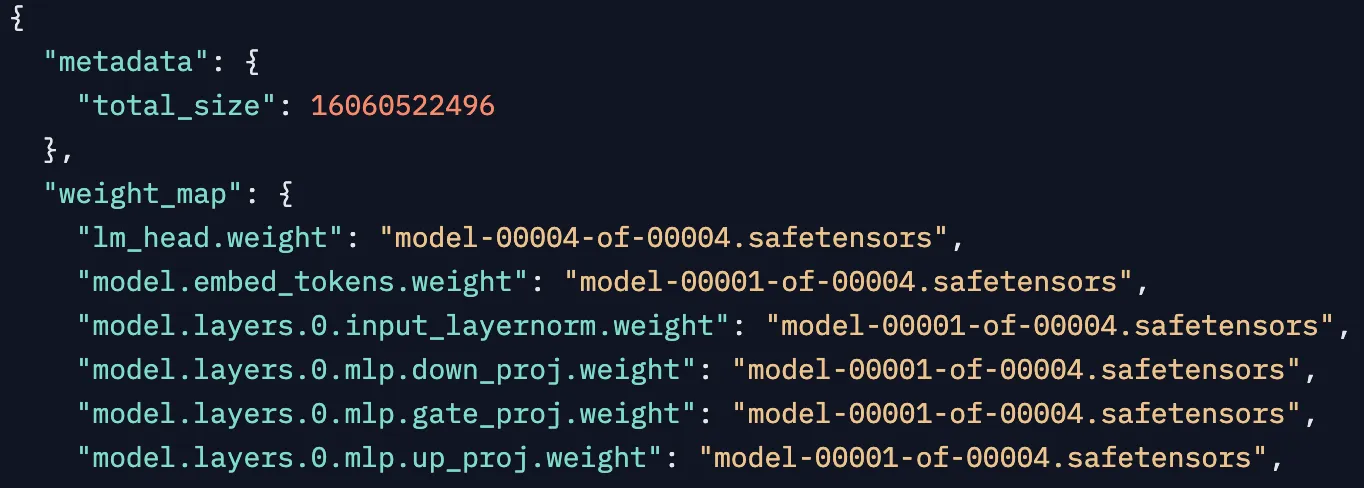
Layer Mapping
Since the models are large, and weights come as part files (e.g., 0001-of-0006, 0002-of-0006, etc.), this file stores a sequential map of the model architecture, specifying which part file each layer has its weights.
Tokenizer Config and Special Tokens
The tokenizer config file contains metadata about which tokenizer and configuration were used to train this model. It also shows the class name used to instantiate the tokenizer, the layer names, and how the inputs are processed before passing through the model.
Below is a screenshot of the tokenizer_config.json, where we can see the <bos_token> and <eos_token> this LLM understands and a list of reserved tokens with instructions on how the Tokenizer should process them.
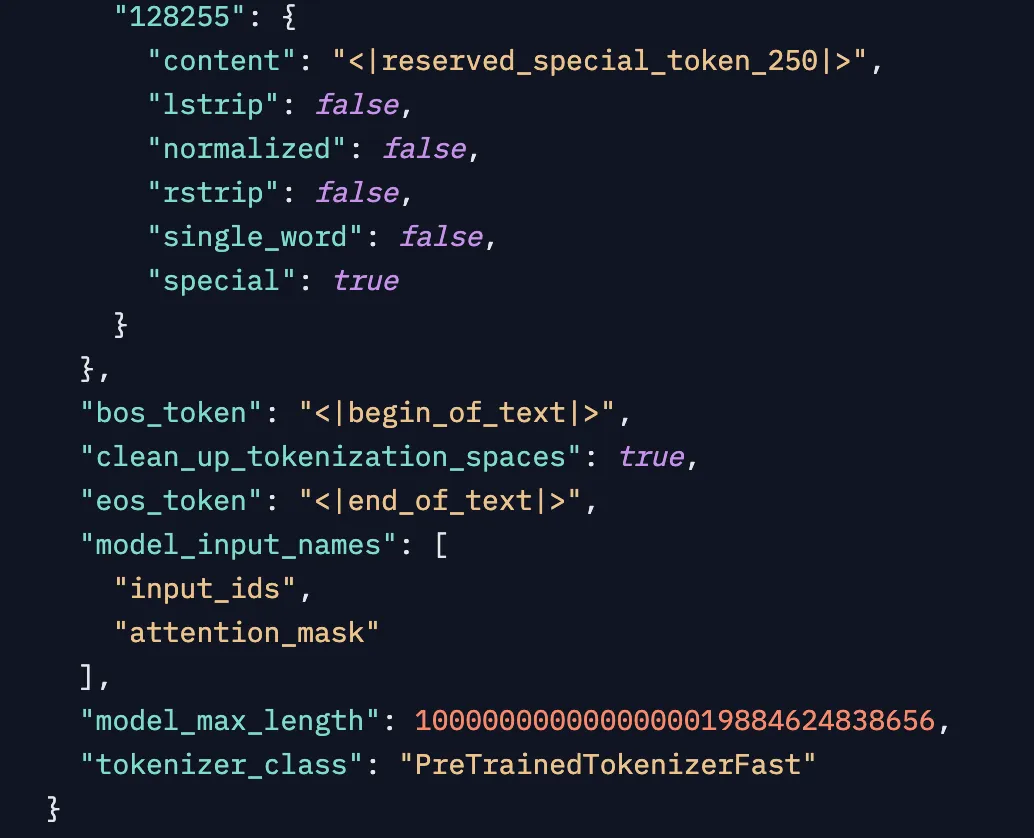
For example, tokenID=128255 is reserved, not a single_word, left_strip and right_strip are false, which means leading and trailing spaces would not be removed using token.strip() method.
In the “special_tokens.json” file, we have the <bos_token> and <eos_token> special tokens mapped to actual text markers that are used in the Chat template or prompt given to this LLM.
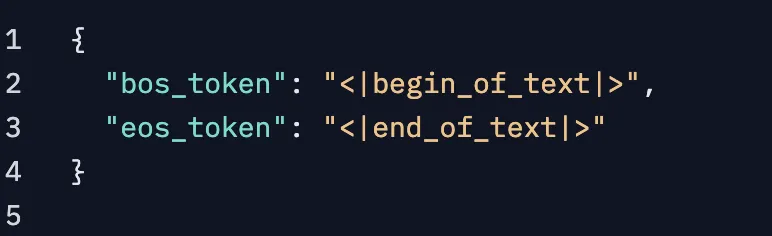
Figure 11. Taken from , showing the special_tokens.json config file.
As a quick example, the prompt we used above, “Neural Bits Newsletter is” - is not the complete form that gets passed to the Tokenizer. What gets into the tokenizer is this:
<|begin_of_text|>Neural Bits Newsletter is
After the generation is complete, it’ll become this:
<|begin_of_text|> Neural Bits Newsletter is awesome and helps you learn AI <|end_of_text|>
Generation/Inference Config
These configuration files contain metadata for Inference, such as Temperature and TopP/TopK thresholds or context window size the model was trained with. Also, it specifies the tokenIDs for the